How Jalonsan works.
Everything happens on your phone. This page walks through what each screen does and where to find it.
Getting started
On Accounts, tap Add an account and pick what it is — a current account, savings, a property, investments, a loan — then give it a name, a currency and today's balance. Accounts are grouped by kind, and the figure at the top is your net worth: what you own minus what you owe.
There is no bank connection to set up. A minute a month typing balances is enough; recurring entries take care of the rest.
Updating a balance
Open an account and tap Update balance (Revalue on a property). Type the new figure, then say what happened:
- Moved — you paid money in or took it out.
- Market — the value changed on its own.
That one choice is what lets Trend separate what you saved from what the market did. To record a balance from an earlier day, tap the date under the figure. To remove an entry, swipe it left in the log.
A home and its mortgage
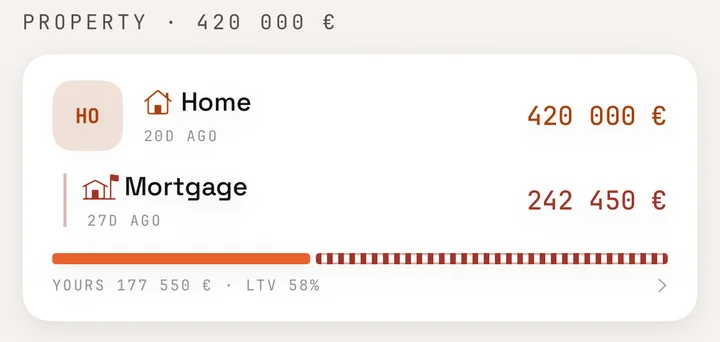
Link a loan to the property it pays for: on the property, tap … then Link a debt to this, or choose Linked to on the loan itself. The property then carries its loans — under Loans linked to this on its page, and as one position in the accounts list, with the loan-to-value bar and what is yours. Tap Equity in this to see how much of its change came from the market and how much from what you repaid, since your first snapshot.
Recurring entries
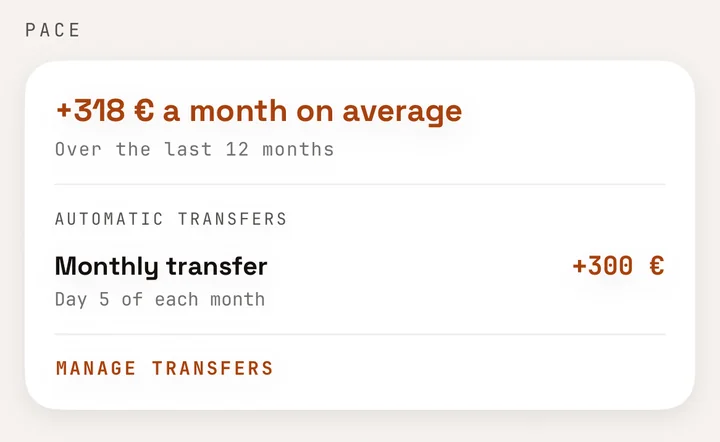
A loan repayment or a monthly transfer only needs entering once: on the account, tap … then Recurring entries. Give the amount — negative takes money out — and the day of the month, from 1 to 28 so that it falls in every month.
Each due date is applied when you open the app, months you missed included and never ahead of its date, and a notification says how many were added. On a savings account, the Pace card lists its transfers.

A company, or money that is partly someone else's
A company account asks for Your share. Any other asset can be marked under Advanced › Partly someone else's, with the percentage Held back — for tax, VAT or a partner. Only your part counts in your net worth, and the account's page shows What is yours.
Trend
- Net worth over time — the last twelve months, and where the current pace leads.
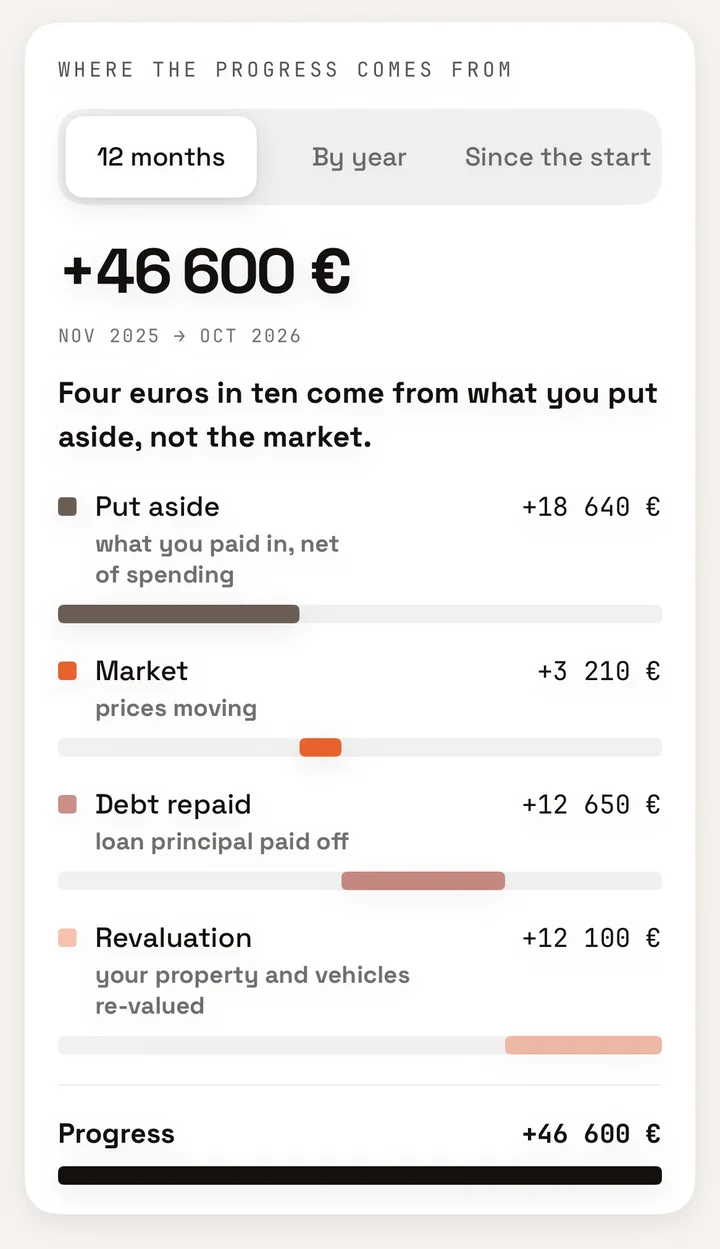
- Where the progress comes from — what you put aside, what the market did, the debt you repaid and the revaluation of what you own, adding up to the cent. Over 12 months, by year or since the start.
- Safety cushion — how many months of spending your current and savings accounts would cover. Enter your Monthly spending in Settings first; it stays on your phone.
- Debt — when, at the current pace, your loans will be half repaid, three-quarters repaid and gone.
- Distribution — where your money sits.
Every reading is in euros, months or dates. Nothing is scored.
Showing the app to someone
Tap the eye next to Net worth (or on Trend) to hide every amount. Percentages and dates stay readable; tap again to show the figures.
To keep anyone else out, turn on Settings › Require Face ID to open.
Backups and moving your data
Settings › Import & Export writes a complete JSON backup — keep it in iCloud Drive, on a NAS or on a USB drive. Importing it again merges rather than duplicates. CSV holds the balance history only, in the columns the web app imports.
With Sync with iCloud on, your data is copied through your own iCloud account to your other devices. We never hold a copy: if you lose your phone with neither sync nor a backup, nobody can restore it — us included.
Language
Settings › Language switches the app to English, French, Spanish, Italian or German without leaving it.
Still have a question? Write to contact@jalonsan.app.